How to Improve Your Internet and Mobile Signal at Home
Nothing kills productivity faster than a slow internet connection or constant mobile dropouts. Whether you are trying to join a work meeting, stream a movie, or call a friend, weak signals can make even simple tasks frustrating.
In many Sydney homes and workplaces, poor connectivity is caused by more than just your provider. Building materials, signal interference and even the placement of your router can make a huge difference.
The good news is that you do not have to live with it. Two popular solutions, Wi-Fi extenders and 3G or 4g mobile signal boosters, can dramatically improve your coverage and signal strength. While they both make your connection stronger, they do it in very different ways.
This guide breaks down what each device does, how they work, and which one is right for your property. Along the way, we will also cover how Sydney Cabling can help you design a complete system that keeps you connected wherever you are.
Why Your Wi-Fi or Mobile Signal Might Be Weak
Before we get into the fixes, it helps to know what is causing the problem.
- Building Materials
Sydney homes are often built with dense materials such as brick, concrete or steel, and while they are great for insulation, they are terrible for wireless signals. Wi-Fi and mobile frequencies struggle to pass through these materials, especially between floors. - Router and Tower Distance
If your Wi-Fi router is located at one end of the house, the other side may barely get a signal. Similarly, if your property is far from a mobile tower, you may see one or two bars at best. - Interference
Microwaves, cordless phones, Bluetooth speakers and even your neighbour’s Wi-Fi network can interfere with your connection. These signals overlap and cause disruptions. - Router Placement
Routers should always be placed in a central, elevated and open space. Hiding them behind the TV or in a cabinet might look tidy, but it blocks signal spread. - Overloaded Networks
Every connected device shares your network’s bandwidth. When too many devices are streaming, gaming or downloading at once, your network slows down.
Once you figure out whether your problem is weak Wi-Fi or poor mobile reception, it becomes easier to find the right solution.

What Is a Wi-Fi Extender?
A Wi-Fi extender, sometimes called a Wi-Fi booster, helps expand your existing wireless coverage. It connects to your router, captures the Wi-Fi signal and rebroadcasts it to parts of the house that your router cannot reach.
For example, if your lounge room has strong internet but your upstairs bedroom does not, a Wi-Fi extender can help bridge that gap.
How a Wi-Fi Extender Works
- The extender connects to your main router’s wireless signal.
- It picks up the signal and amplifies it.
- It then rebroadcasts the stronger signal to areas that had weak coverage.
It is like adding an extra speaker to your Wi-Fi system. Instead of replacing your router, you are helping its signal travel further.
If you need a more stable connection between your router and your extender, you can also run an Ethernet cable through your walls. Sydney Cabling specialises in data cabling installation which strengthens the network behind the scenes, which strengthens the network behind the scenes.
Benefits of Wi-Fi Extenders
- Greater Coverage Across Your Home or Office
Wi-Fi extenders eliminate dead zones and allow you to stay connected from every room, even outdoors. This is especially useful in larger properties or double-storey homes. - Better Performance for Smart Devices
From TVs to gaming consoles and home assistants, extenders make sure your devices get a steady signal without interruptions. - Easy Setup
Most Wi-Fi extenders plug directly into a power point and can be configured using your phone or computer. Professional installation ensures they are positioned perfectly for maximum coverage. - Budget-Friendly Upgrade
Upgrading your router or switching providers can be costly. A Wi-Fi extender is a cheaper way to boost performance without changing your plan. - Compatible With Existing Equipment
You do not need to buy a new router. Wi-Fi extenders work with almost any modem or internet service provider in Australia.
Sydney Cabling offers expert Wi-Fi installation Sydney, services to ensure your extenders are installed and configured for the best possible results.
Limitations of Wi-Fi Extenders
While Wi-Fi extenders can dramatically improve coverage, they do have some limitations.
Speed Loss
Because the extender repeats the signal, some bandwidth is lost during transmission. Professional installers can configure it to reduce this effect by using wired backhaul connections through data cabling.
Placement Sensitivity
If you put your extender too close to the router, you will not gain extra coverage. Too far away, and it will not pick up a strong enough signal to rebroadcast.
Router Dependency
If your router itself is weak or outdated, the extender will simply mirror its poor performance. In those cases, upgrading your router or network design may be the better move.
What Is a 3G or 4G Booster?
While Wi-Fi extenders handle internet signals inside your property, 3G and 4G mobile signal boosters fix another problem, weak phone reception.
These devices capture faint mobile signals from nearby towers, amplify them, and distribute the stronger signal throughout your property.
They are ideal for areas where mobile coverage drops out completely, such as rural homes, basements or buildings surrounded by thick walls.
How a Mobile Signal Booster Works
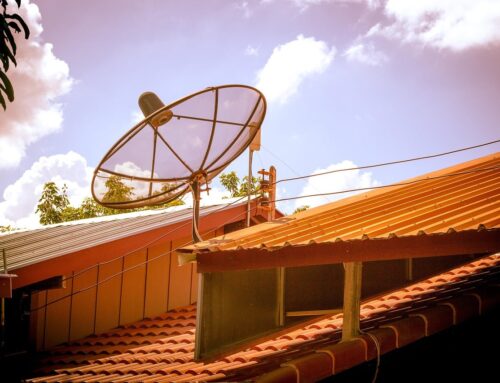
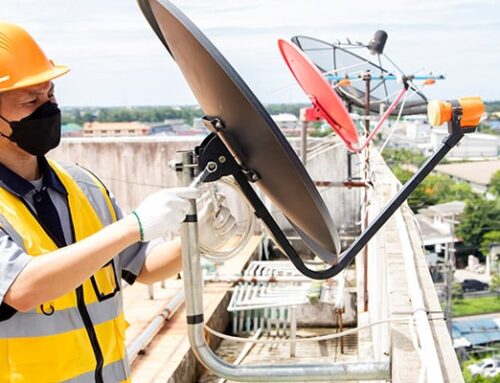
- A roof antenna captures the weak mobile signal outside.
- That signal travels through a cable to an indoor amplifier.
- The amplifier boosts the signal’s strength.
- An internal antenna then redistributes that signal across your home or business.
The result is clearer calls, fewer dropouts, and faster mobile data speeds.
Benefits of 3G & 4G Mobile Signal Boosters
- Clearer Calls and Fewer Dropouts
Boosters stabilise your mobile connection, making conversations crisp and uninterrupted. - Faster Mobile Internet
You can browse and stream using your phone’s mobile data without lag, especially helpful in areas where NBN coverage is unreliable. - Coverage for the Whole Property
Boosters can cover multiple floors and large spaces, ensuring you have signal in every corner of the building. - Multi-User Support
A properly installed booster supports multiple phones at once, ideal for offices and family homes. - Longer Battery Life for Devices
Phones consume less battery when they do not have to constantly search for a signal, so your devices last longer between charges. - Reliable Performance in All Weather Conditions
Unlike mobile towers that may fluctuate during storms or high traffic, boosters maintain a steady signal indoors.
For regional properties, you can pair a booster with satellite internet through Sydney Cabling’s Starlink installation. This combination ensures both mobile and internet coverage in remote areas.
Wi-Fi Extenders vs 3G & 4G Boosters: Which One Do You Need?
Both devices improve connectivity, but they solve very different problems. Here is a detailed breakdown:
| Feature | Wi-Fi Extender | 3G/4G Mobile Signal Booster |
| Purpose | Expands your Wi-Fi network’s coverage indoors | Strengthens mobile signal for calls and data |
| Signal Type | Internet signal from your router | Cellular signal from mobile towers |
| Installation Type | Plug-in or professionally configured | Roof antenna with indoor amplifier |
| Ideal Use | Homes or offices with Wi-Fi dead zones | Properties with weak mobile reception |
| Speed Impact | Can slightly reduce Wi-Fi speed if poorly configured | Increases mobile data speed and reliability |
| Coverage Area | Up to 400 square metres per unit | Entire home or office, depending on signal strength |
| Maintenance | Minimal, mostly software updates | Occasional antenna alignment and inspection |
| Compatibility | Works with existing Wi-Fi routers | Works with major Australian carriers (Telstra, Optus, Vodafone) |
| Cost Range | Budget-friendly, low installation cost | Higher cost, professional setup required |
| Best Combined With | Data cabling for better speed and stability | Starlink or mobile broadband for remote access |
If your Wi-Fi struggles indoors, you need an extender. If your mobile reception drops out, you need a booster. In many Sydney homes, the best solution is to install both, supported by a structured data cabling system for maximum performance.
How Wi-Fi Extenders and Boosters Work Together
The best network setups use both systems. Here is how they complement each other:
Data Cabling:
This forms the solid foundation of your network. It connects your router, access points and extenders to create a reliable system.
Wi-Fi Extenders:
These distribute wireless signals evenly throughout the building.
3G/4G Boosters:
These strengthen mobile reception, allowing you to make calls and use mobile data indoors without interruptions.
Combined, they deliver complete connectivity for your home or business. Sydney Cabling can design a hybrid network that includes data cabling, Wi-Fi installation, and mobile signal solutions tailored to your property layout.
Why Professional Installation Beats DIY
While it is tempting to buy an extender or booster online and install it yourself, professional setup ensures performance, safety and compliance with Australian laws.
Sydney Cabling’s licensed technicians ensure:
- Optimal device placement so signals reach every room evenly.
- Compliance with ACMA regulations for mobile signal boosters.
- Correct cabling and amplifier setup to avoid interference.
- Integration between Wi-Fi and data cabling for maximum efficiency.
Choosing expert installation gives you peace of mind knowing your system will work reliably for years.
Maintenance and Troubleshooting Tips
Keeping your system in top shape is easy with a few regular checks.
Wi-Fi Extender Care:
- Place extenders away from appliances and metal surfaces that block signals.
- Reboot your router and extender once a month to refresh the connection.
- Keep firmware updated for improved performance.
- If coverage is inconsistent, consider a mesh Wi-Fi system professionally installed by Sydney Cabling.
3G/4G Booster Care:
- Inspect the roof antenna every six months to ensure it is secure and aligned.
- Check cables for wear or moisture damage.
- Keep the amplifier dust-free and well ventilated.
- Re-test signal strength if you change mobile providers.
For complete peace of mind, Sydney Cabling offers ongoing maintenance and performance testing for all installations.

Frequently Asked Questions (FAQs)
- Are Wi-Fi extenders and boosters the same thing?
Yes. Both terms describe devices that extend the range of your existing Wi-Fi network.
- Will a Wi-Fi extender slow my internet?
It can, but when installed correctly with data cabling support, any reduction in speed is minimal.
- Are mobile signal boosters legal in Australia?
Yes, but only ACMA-approved models are legal. Sydney Cabling installs fully compliant equipment that meets Australian communication standards.
- Can I use a mobile booster with 5G phones?
Yes, many boosters support multiple frequency bands, including those used by newer 5G devices.
- Can I use both a Wi-Fi extender and a 4G booster at the same time?
Absolutely. Wi-Fi extenders improve internet access, while boosters strengthen mobile signals. Many Sydney homes use both systems together.
- How long do these systems last?
With proper care, Wi-Fi extenders and boosters can last several years. Regular maintenance ensures consistent performance.
- How can I tell which one I need?
If your Wi-Fi is slow but your mobile works fine, you need a Wi-Fi extender. If your mobile calls drop or data is slow, you need a 3G or 4G booster.
- Can Sydney Cabling help me decide?
Yes. Sydney Cabling’s team can assess your home or office and recommend the right combination of Wi-Fi and mobile signal solutions for your situation.
Final Thoughts
Weak Wi-Fi and poor mobile reception are two of the most common issues faced by Sydney households and businesses, but they are also some of the easiest to fix with the right setup.
Wi-Fi extenders are perfect for improving your home’s internal network, while 3G and 4G boosters help with external mobile reception. When combined with data cabling, you get a complete, high-performance network that keeps you connected everywhere you go.
At Sydney Cabling, we take care of everything, from Wi-Fi installation and data cabling to mobile signal booster installation. Our licensed technicians use high-quality equipment and professional design to ensure strong, stable and secure connections in every corner of your property.
Whether you are in the city, suburbs or rural New South Wales, we can help you say goodbye to dropouts and dead zones for good.
Get in touch with Sydney Cabling to learn more about our services or book your installation today.